How to Build a Webasyst Shop-Script Store (2025)
Roman Ryumin, Web Developer
What Is Webasyst Shop-Script
We have already covered Webasyst Shop-Script in a separate article. In short, Webasyst Shop-Script is a powerful platform for launching e-commerce websites and managing online sales. It gives you strong flexibility in design, functionality, and integrations. You can also sell through marketplaces, social networks, and additional channels.
In this article, we explain how to build a Webasyst Shop-Script store on your own in 2025.
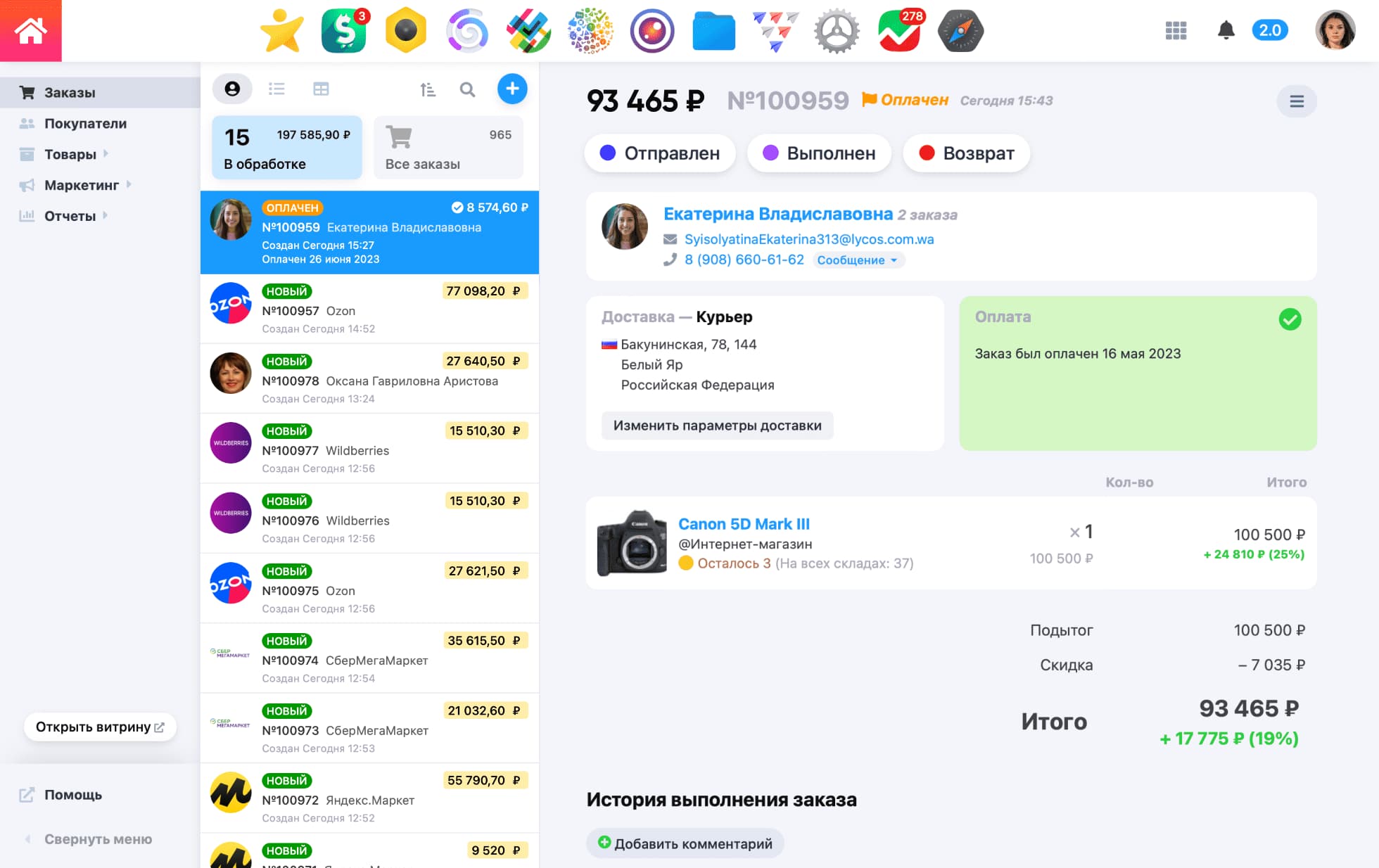
Design and Functionality
Flexible page editing
One of the core advantages of Webasyst Shop-Script is how flexible the storefront can be. You can edit key pages directly:
- Home page
- Category page
- Product page
- About, Contacts, and other informational pages
Depth of customization depends on the design theme you choose. Basic changes are available from the admin panel, while advanced changes may require a developer.
Choosing a design theme
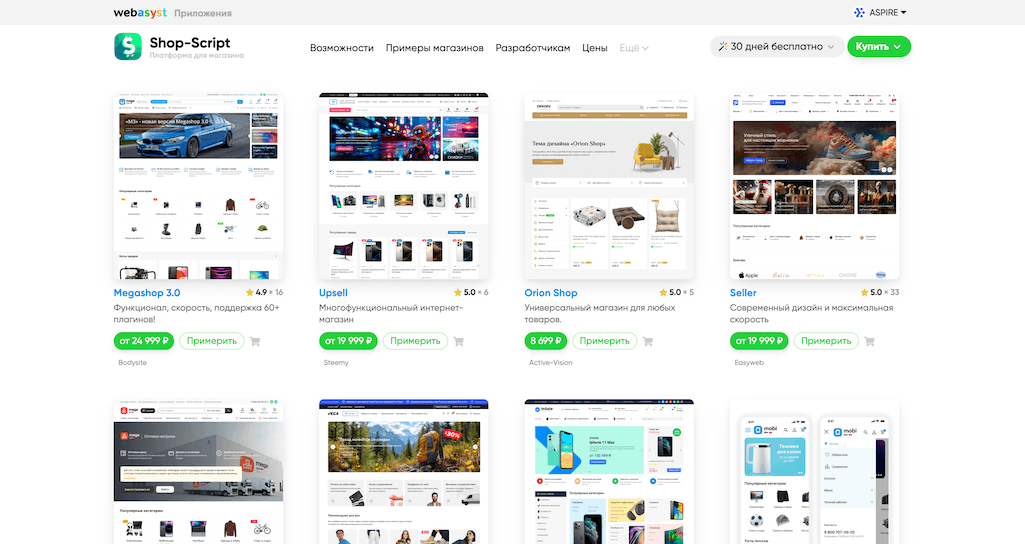
Even if you plan to build a fully custom design, it is usually faster and safer to start from a quality theme. Most themes already include important interface parts such as navigation, product cards, cart behavior, and checkout structure. Then you can adapt the look and feel to your brand.
Where to find themes
In the official Webasyst theme store, you can find both free and paid themes from trusted developers.
What to check before choosing a template
-
Design and usability
Evaluate visual style, product card layout, cart UX, gallery behavior, and navigation logic. The base theme sets the foundation for your future store. -
Built-in functionality
Features depend on the selected theme and on installed plugins from Webasyst Installer. The more useful functions are available in the theme itself, the easier your project scaling will be.
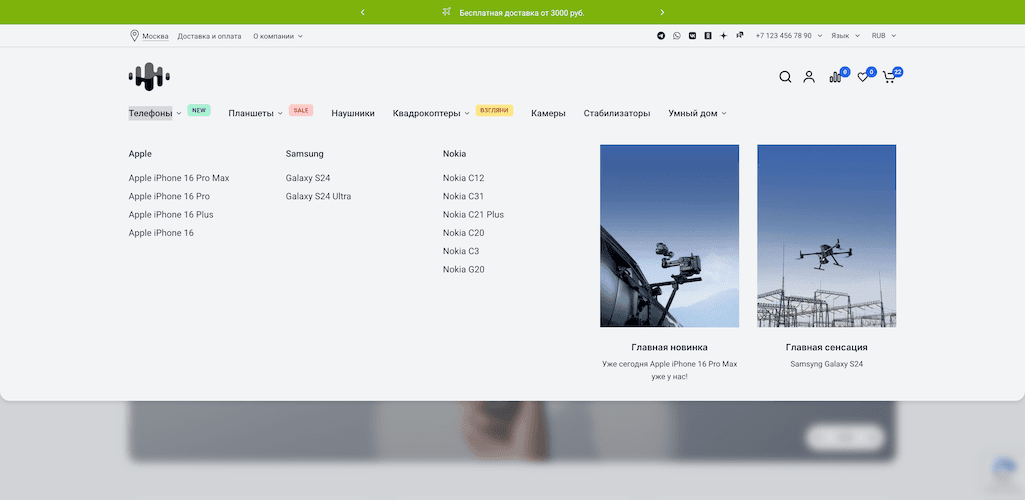
Popular features to look for:
| Feature | Feature |
|---|---|
| Mega menu | Size charts |
| Product filters | Upsell and cross-sell blocks |
| Product options | Recently viewed products |
| Quick view | Sale countdown timer |
| Product labels (New, Sale) | Improved search |
| Hero sliders and promo banners | Newsletter subscription |
-
Language support
If you sell in multiple countries, make sure your theme supports required languages or can be translated. -
Mobile performance and speed
Check mobile usability and run Google PageSpeed tests. A practical benchmark is 60-70+ for mobile and 90+ for desktop.
A Good Theme Should Provide
- Clear and convenient navigation
- A strong set of ready blocks
- Built-in features you really need
- Fast loading speed
- High-quality mobile UX
- Language support for your markets
Themes we often recommend: Aspire Sense, Seller, MegaShop 3.0, InSale, UpSell
Free themes can also be a solid option for a simple store.
Always install and test the theme before buying: Webasyst allows free trial usage directly in your store.
Additional Functionality
Multilingual support
Webasyst Shop-Script supports multilingual stores. You can use tools such as MyLang to localize storefront content.
Apps and plugins
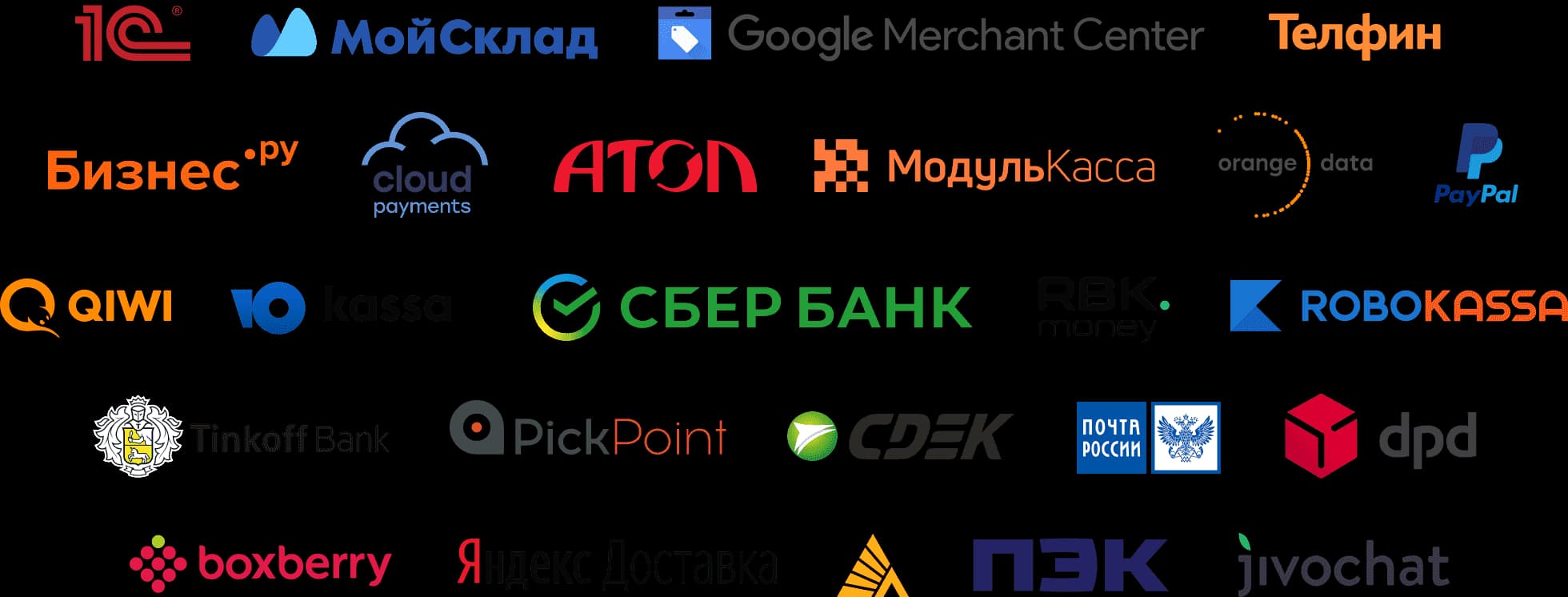
If you need advanced features, install apps/plugins from Webasyst Installer or build custom logic with a developer.
Useful apps and plugins include:
- CRM
- Reviews
- Mailer
- Menu management
- Cash
- OZON integration
- Blog
- Tasks
- SEO optimization plugin
- Search PRO
- Market export plugin
Content Setup
Main pages
You can edit your homepage from the admin panel by adding blocks, banners, product feeds, and text sections.
Additional pages
Informational pages (About, Contacts, policy pages) are managed in the Pages section of the relevant app.
Legal pages
For online sales, publish the required legal documents:
- Privacy Policy
- Public Offer / Terms of Sale
Webasyst includes a built-in privacy policy generator.
Product Catalog Setup
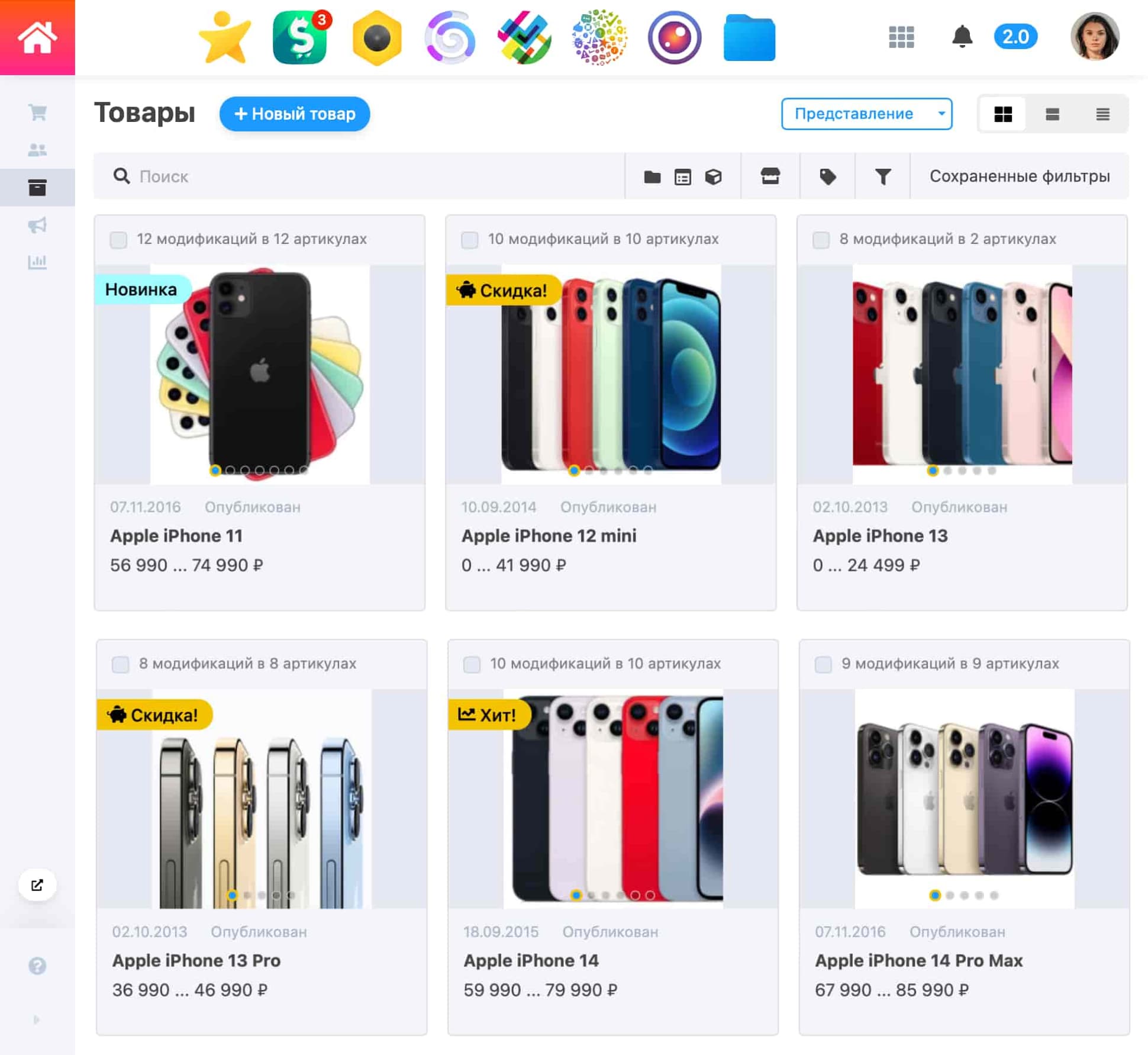
Products can be added manually or imported via CSV. For each product, add title, description, price, media, attributes, SKU, and stock.
You can also:
- Create variants (size, color, material, etc.)
- Assign products to categories/collections
- Add tags for better filtering and search
Integrations with inventory systems
MoySklad
Webasyst can integrate with MoySklad to automate:
- Catalog synchronization
- Price and stock updates
- Order transfer and processing
- Multi-warehouse stock management
Plugin example: Full MoySklad API integration
1C CommerceML
1C integration helps automate:
- Product data exchange
- Order synchronization
- Flexible exchange scenarios for different 1C configurations
These integrations significantly reduce manual work and data errors.
Store Configuration
Checkout page
Webasyst gives advanced control over checkout. You can reorder steps, remove fields, and adapt payment/delivery logic to your business.
Payment methods
Webasyst supports 100+ payment plugins, including local and global providers.
Shipping setup
Shipping options include:
- Fixed rates by region
- Courier service integrations such as CDEK, Boxberry, PEK
- Additional custom shipping plugins
Analytics and tracking
Connect analytics tools like Google Analytics and Yandex Metrika to monitor behavior and evaluate channel performance.
Promotion and Growth
Sales channels
Webasyst supports multichannel sales and promotion. You can run traffic from search, paid ads, social media, and marketplaces while managing the catalog centrally.
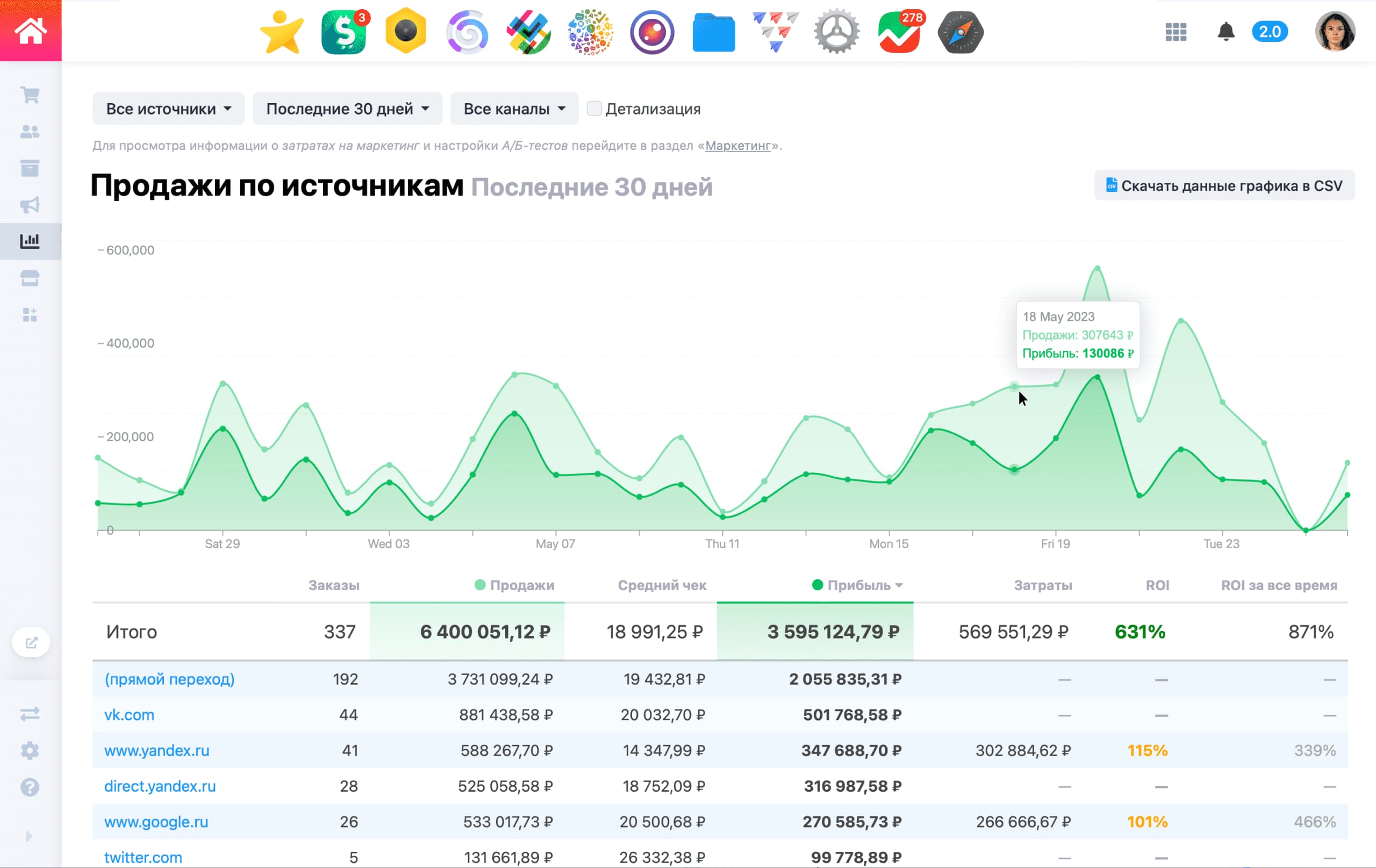
Popular channels:
- Google Search
- Yandex Search
- Yandex Direct
- Yandex Market
- Ozon
- Wildberries
- AliExpress
- MegaMarket
Summary
These are the core steps for launching a Webasyst Shop-Script store.
A basic store can be built independently, but complex tasks such as advanced integrations, custom features, and unique design usually require professional support.
You can hire a specialist via the Webasyst experts catalog or contact our agency. We build and scale stores on Webasyst for clients in Russia, Europe, and other markets.
Best regards,
ASPIRE Team