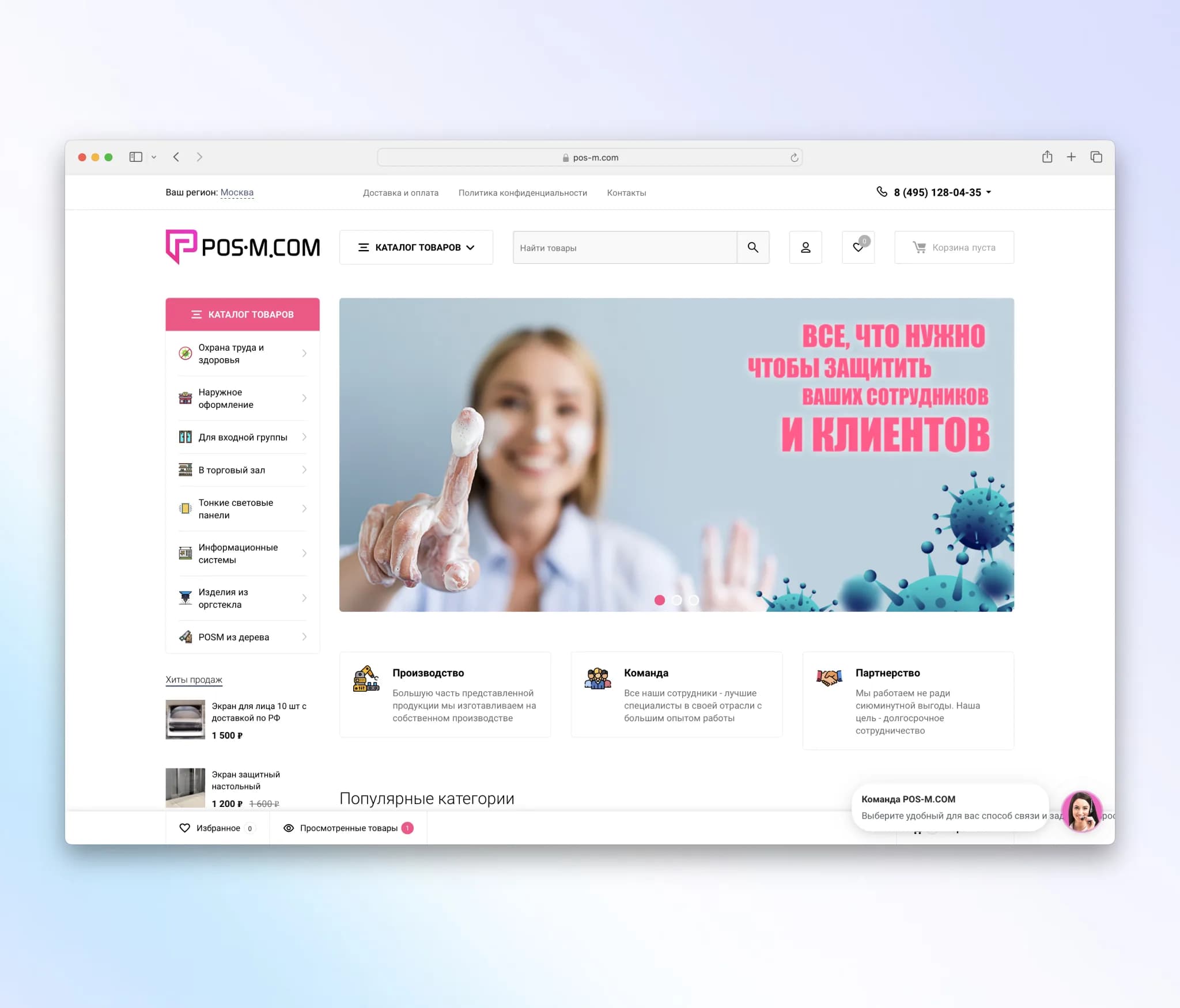
Case Study - Development of an online store for presentation, trade, and exhibition equipment on Webasyst Shop-Script
Exhibition, presentation, and trade equipment. Own production.
- Client
- Pos-m.com
- Year
- Service
- Turnkey Website
Client:
Online store specializing in the sale of presentation, trade, and exhibition equipment in Moscow.
Budget:
400,000 rubles
Timeline:
2 weeks
Goal:
Creation of a functional and convenient online store for selling presentation equipment with the integration of the Webasyst Shop-Script system and the use of the ready-made Balance design theme.
Tasks:
- Installation and configuration of Webasyst Shop-Script.
- Selection and installation of the Balance design theme.
- Configuring and adapting the design to the specifics of products and brand.
- Integration with payment and delivery systems.
- Importing products and setting up the catalog.
- Training client staff to work with the system.
- Testing and launching the online store.
Workflow:
Day 1-2: Preparation and Platform Installation
- Purchase of Webasyst Shop-Script license.
- Installation and initial configuration of the platform on the client's hosting.
- Configuring basic functionality and connecting an SSL certificate to ensure security.
Day 3-4: Balance Theme Installation and Setup
- Downloading and installing the Balance theme.
- Setting up the main page, including banners, slides, and main sections.
- Configuring the color scheme and fonts in accordance with the client's brand book.
Day 5-6: Product Catalog Setup
- Importing products with their categories, descriptions, photos, and prices.
- Setting up filters and product sorting for ease of search.
- Adding SEO-optimized meta tags to improve visibility in search engines.
Day 7-8: Payment and Delivery Systems Integration
- Connection of popular payment systems (e.g., Yandex.Kassa, PayPal).
- Setting up delivery methods (courier delivery, pickup, transport companies).
- Testing the operation of all integrations.
Day 9-10: Design and Content Adaptation
- Creation and design of pages "About Company", "Contacts", "Delivery and Payment".
- Setting up user forms and online chat for customer support.
- Checking correct display on mobile devices and desktops.
Day 11-12: Testing and Optimization
- Conducting internal testing of store functionality.
- Fixing found bugs and optimizing page load speed.
- Testing all business processes, including checkout, payment, and delivery.
Day 13-14: Training and Launch
- Conducting a training session for client staff on working with the Webasyst Shop-Script system.
- Development and handover of the user manual to the client.
- Final check and launch of the online store into operation.
Results:
- The online store was successfully launched on time and within budget.
- The client received a fully functional and ready-to-use online store.
- Thanks to the use of the ready-made Balance theme and the Webasyst Shop-Script platform, we managed to significantly reduce development time and budget.
- Client staff were trained to work with the system, which ensured a smooth transition to independent operation of the store.
Conclusion:
The project to develop an online store on Webasyst Shop-Script was completed successfully thanks to clear planning, the use of ready-made solutions, and the coordinated work of the development team. The integration of modern payment and delivery systems, as well as a convenient and intuitive interface, ensured a positive experience for users and employees of the online store.